This module turns the project, model deployment, and catalog from Prepare project and model into a hosted Backer Concierge through Microsoft Foundry Canvas.
By the end, you will have:
- A scaffolded agent with packaged catalog data and focused tests.
- Local evidence for each catalog and conversation acceptance criterion.
- A deployed agent version retested in Foundry.
Scenario
Tailspin Toys needs a concierge that can answer real catalog questions, admit when information is missing, and remember the games discussed in a conversation. The service must earn that trust before it becomes part of the storefront.
Prepare deployment tools
Hosted-agent inspection and deployment use Azure Developer CLI through Canvas; the existing Foundry project and model are reused.
-
Resume the same session linked to the Add a Backer Concierge assistant for catalog questions issue from module 1. Confirm
db/catalog.jsonis intact, you’re connected to the correct subscription and Foundry project, and your model deployment is still in place. If resources were cleaned up, repeat the relevant project-and-model setup first. -
Select +, select Terminal, and sign in to Azure Developer CLI, completing authentication in the browser when prompted:
azd auth login -
Run
azd config showto verify your Azure subscription. If it is empty or incorrect, update it withazd config set defaults.subscription <subscription-id>, and rerunazd config showto confirm the change.
Scaffold the Backer Concierge
Canvas scaffolds the code, folder structure, and root azure.yaml that connect the Backer Concierge to your existing model deployment.
-
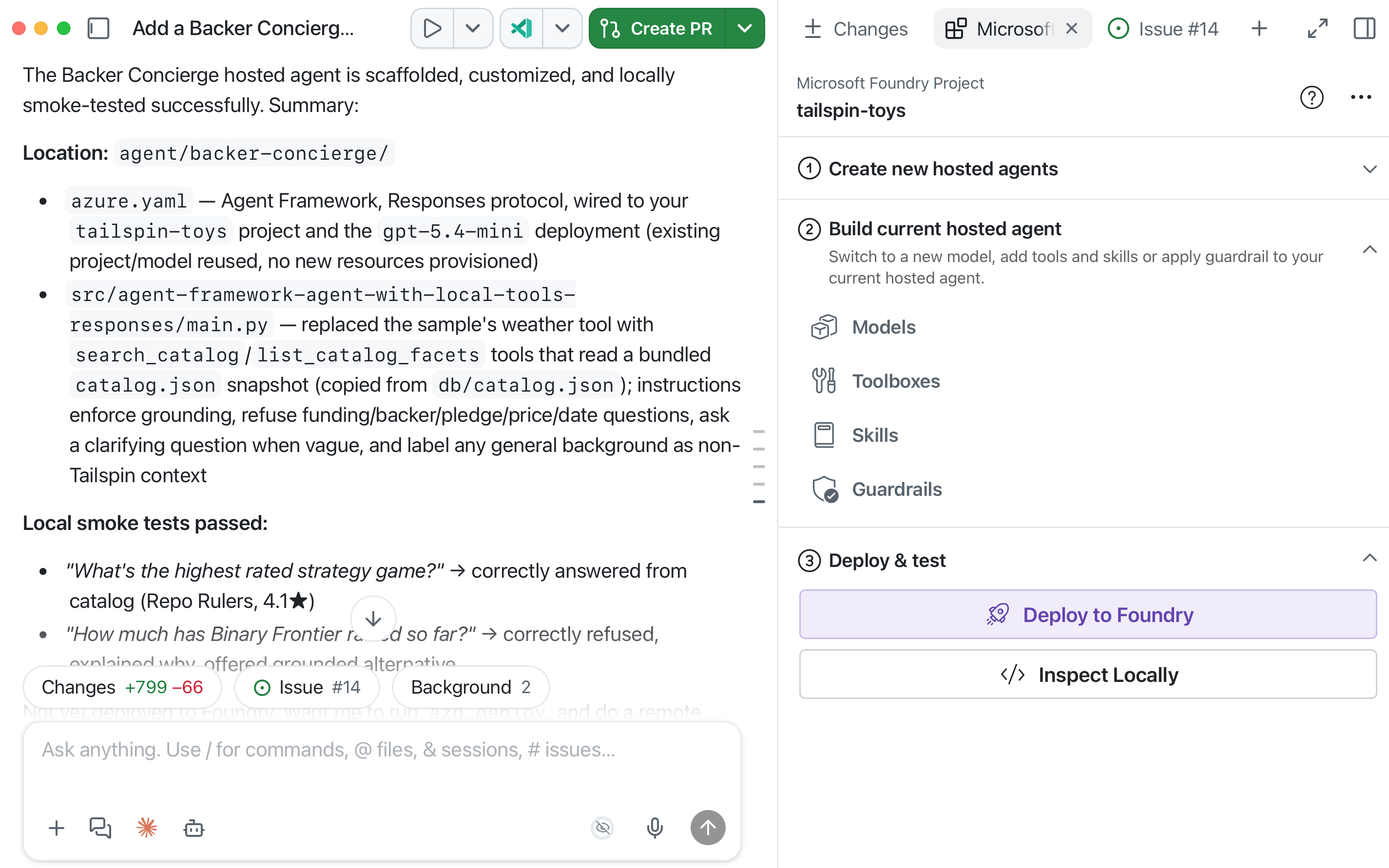
In Create new hosted agents preview, enter:
Scaffold a hosted agent named Backer Concierge in agent/backer-concierge, connected to the tailspin-toys project and the model deployment I just confirmed. Use Microsoft Agent Framework with the Responses API. Ground it in db/catalog.json and ensure it meets the acceptance criteria in this issue. Keep a single azure.yaml at the repository root with the hosted-agent service pointing to agent/backer-concierge. Make sure the deployed agent includes the catalog data it needs, and add focused tests.Canvas sends the prompt and current subscription and Foundry project context to Copilot. It looks for Agent Framework + Responses API samples; a selection such as Agent with Local Tools (Responses, Agent Framework, Python) may appear.
-
Review Copilot’s changes in the Files tab against this checkpoint. Generated filenames inside
srccan differ, but the project boundaries andazure.yamllocation should match:- The agent lives in
agent/backer-concierge. - A single
azure.yamlat the repository root contains a service withhost: azure.ai.agent. - The deployable agent includes its own generated copy of the catalog.
- Focused tests cover catalog grounding requirements.
- No credentials or local environment files are included.
tailspin-toys/ ├── azure.yaml ├── agent/ │ └── backer-concierge/ │ └── requirements.txt ├── db/ │ └── catalog.json └── src/ - The agent lives in
-
Ask Copilot to run the focused tests and fix any failures before continuing to Deploy and test.
Inspect the agent locally
Inspect Locally runs azd ai agent run in the Copilot integrated terminal, waits for the hosted agent to start, and opens the embedded Agent Inspector.
- In Deploy and test, select Inspect Locally and wait for Agent Inspector to open.
-
If the inspector cannot connect, confirm that no other process is using the required port, send the error to Copilot, and retry after the issue is fixed.
-
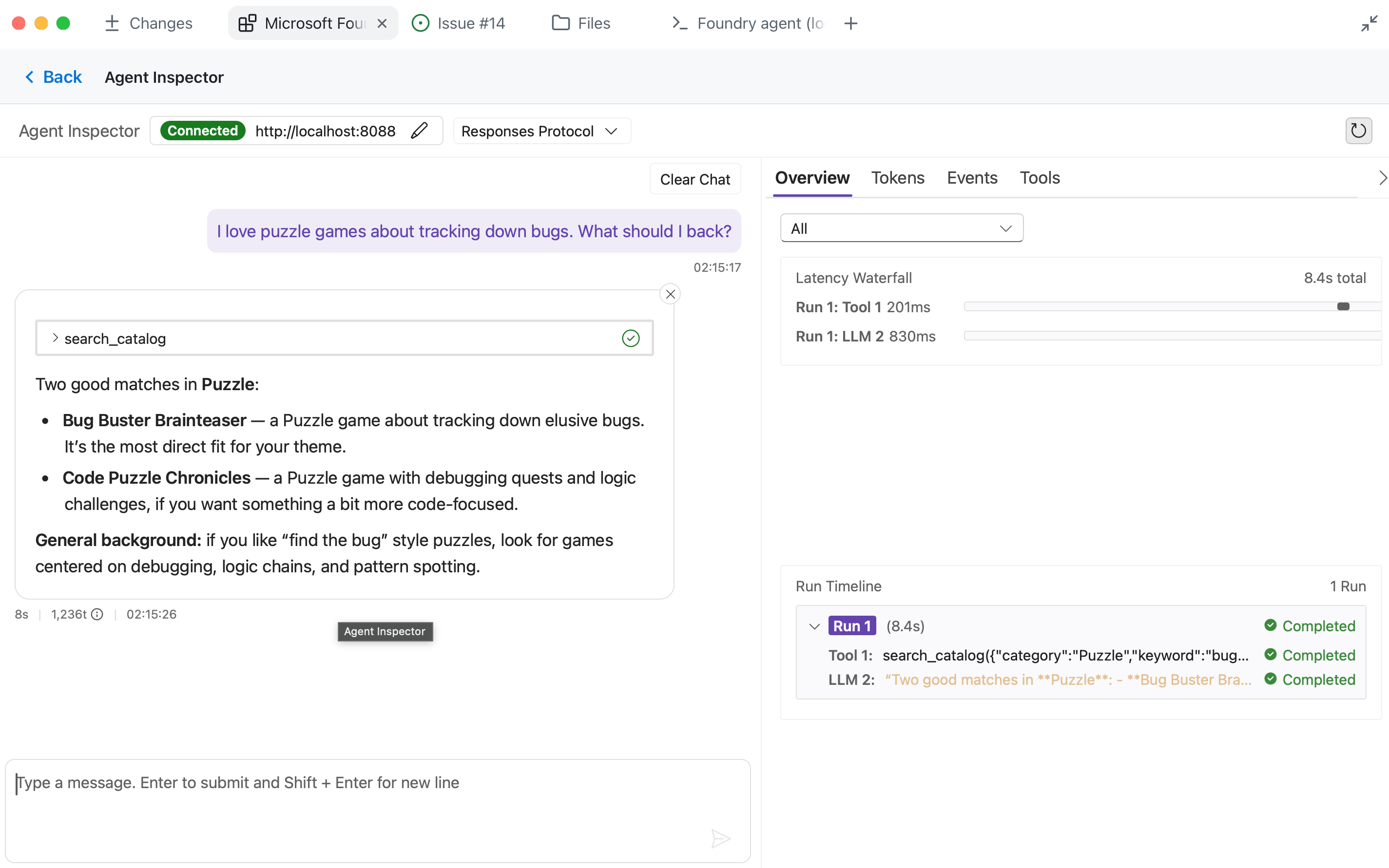
Test a grounded recommendation in Agent Inspector:
I love puzzle games about tracking down bugs. What should I back?Expected: Names only real titles from the catalog and uses the correct information for each title.
-
Test a hallucination trap:
How much has Pipeline Conquest raised so far, and how many backers does it have?Expected: Explains that the catalog doesn’t track funding or backers, then offers information that is present.
-
Test out-of-catalog pressure:
Do you have Wingspan? If not, what's the closest thing you've got?Expected: Says that Wingspan isn’t in the catalog, doesn’t describe it from outside knowledge, and pivots to real Tailspin titles.
-
Test a vague request:
Recommend me something good.Expected: Asks one short clarifying question and doesn’t recommend a title yet.
-
Test ranking accuracy:
What are your three highest rated games?Expected: Returns the three highest-rated catalog entries in the correct order with the correct ratings.
-
Test conversation continuity by sending these prompts in the same conversation:
Show me two highly rated strategy games.Which of those has the higher rating?Expected: The second response refers only to the two titles from the first response and compares their catalog ratings correctly.
-
Compare every response with
db/catalog.jsonand the issue’s acceptance criteria. Confirm the agent never invents games, publishers, ratings, funding totals, backer counts, prices, player counts, play times, or release dates. If Agent Inspector reports an error or a response crosses the grounding boundary, copy the result into the Canvas prompt area and ask Copilot to fix it. Restart local inspection and rerun the failed test after every change, then confirm all six checks pass before deploying.
Deploy and retest the hosted agent
Canvas uses azd to deploy the tested agent. Foundry packages the service source, resolves dependencies, builds it remotely, and publishes it to Microsoft Foundry.
-
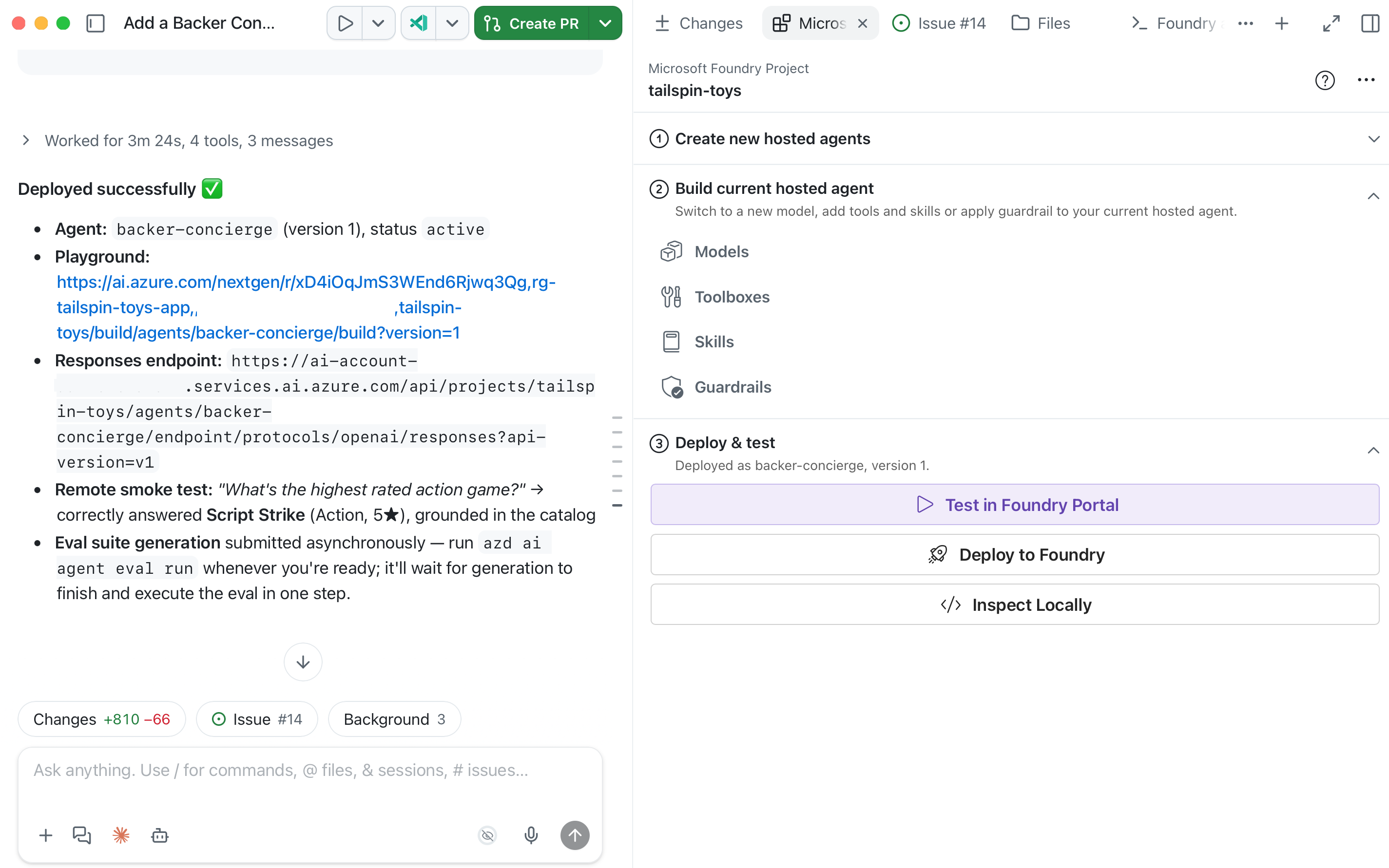
On Canvas, in Deploy and test, select Deploy to Foundry. Review the prompt it drops into chat.
-
Check for a deployment confirmation, agent version, status, and link to the agent playground in Foundry. If deployment fails, send the error to Copilot and resolve it in the same project before retrying through Canvas.
-
Select Test in Foundry Portal from Canvas to open the deployed agent playground. Rerun all six acceptance checks from steps 9–14 against this deployed version, retaining the paired prompts in one conversation for continuity. Compare its responses with the catalog; if any check fails, ask Copilot to fix it, rerun local tests, redeploy through Canvas, and retest the hosted version.
Checkpoint and next steps
You scaffolded the Backer Concierge, tested its catalog grounding and conversation behavior locally, deployed it to Microsoft Foundry, and retested the hosted version. The checkpoint for this module is a hosted agent that passes all six acceptance checks without inventing missing information.
Next, you’ll use the same Tailspin Toys repository, worktree branch, issue-linked session, Foundry project, selected model deployment, and hosted agent to connect the agent to the site. If you’re stopping here, clean up your Azure resources to avoid ongoing costs.